
RUNNING PLANS, READY TO RUN
From a plan in chat to a workout on your Watch.
Take the running plan from your AI coach to your iPhone and Apple Watch. RunBridge lets a compatible assistant save structured workouts to your private library. Open or refresh the app, review each run, and send it to Apple Workout on your Watch.
Free to download · iPhone and Apple Watch · Optional one-time Full Unlock: US $2.99

THE SHORT VERSION
Three steps from idea to intervals.
RunBridge carries the workout. Your assistant writes the plan, and Apple Workout guides and records the run.
- 01
Make a plan
Ask a connected assistant to save a run to RunBridge, or begin with the example workouts in the app.
- 02
Review it
Open RunBridge on iPhone and pull to refresh. Check the steps, duration, and targets before you run.
- 03
Take it outside
Tap Send to Watch to add the run to Apple Workout. You can also open a saved run directly from RunBridge on Watch.
A PRACTICAL EXAMPLE
A marathon plan, one week at a time.
Your AI coach can plan the full training block. Ask it to save the upcoming workouts through RunBridge so the sessions are ready to review on iPhone and use with Apple Workout.
TRY ASKING YOUR AI COACH
“Help me train for a marathon in three months with Jack Daniels’ 2Q method. My VDOT is 46. I run at 6:30 a.m. in my time zone; put Q1 on Tuesday, Q2 on Saturday, and an easy run on Sunday. Build the training plan, then use RunBridge to save next week’s structured workouts. At our weekly check-in, adjust the plan and save the following week’s workouts.”
Your assistant builds and revises the long-term plan. RunBridge saves the near-term structured workouts in your private library.
BUILT FOR THE WAY YOU RUN
The structure of your run stays intact.
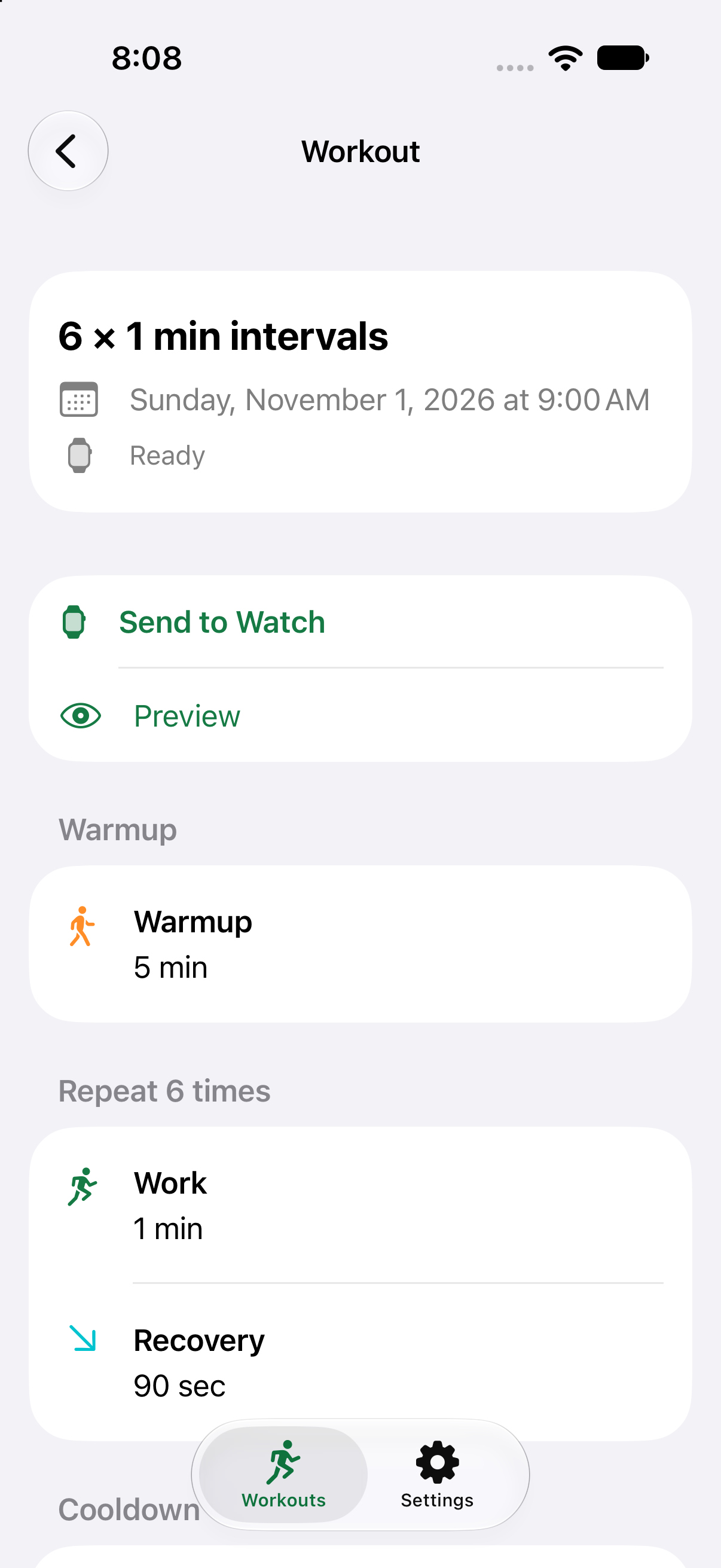
Easy runs and interval sessions arrive as structured workouts rather than a block of text. Plans can include time or distance goals and optional pace, heart-rate, cadence, or power targets.
- Warmup, work, recovery, and cooldown steps
- Miles or kilometers, with optional pace zones
- A private library on iPhone and Watch; saved workouts expire 14 days after their scheduled time
Screenshots show example workouts in the actual app.
READY FOR APPLE WATCH
Take the next week with you.
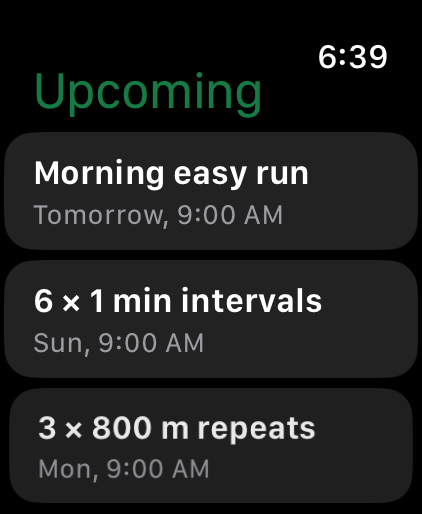
On iPhone, tap Send next 7 days to Watch to add your upcoming runs to Apple Workout. You can also open RunBridge on your Watch to browse saved workouts and start one there.
GET STARTED
Try a run. Then connect your assistant.
You can explore example workouts without connecting an assistant. To save your own AI-authored plans, connect an assistant that supports remote MCP, such as Claude or ChatGPT where available. MCP is the connection that lets your assistant save workouts to RunBridge.
Download on the App Store- Install and sign in. Open RunBridge on iPhone, sign in with Apple, and complete “Verify this iPhone” if prompted.
- Try the examples. Choose an example run in the app to see how a workout moves to your Watch.
- Add the connector. In RunBridge Settings, tap “Copy MCP address.” Add that address as a custom remote MCP connector in your assistant. In Claude, go to Customize → Connectors → + Add → Add custom connector. Use
https://rb.fogcity.us/mcp. - Register and authorize. If asked how to register an OAuth client, choose “Register automatically.” Then sign in with the same Apple account and approve access.
- Turn on the tool and save a run. Enable RunBridge in the chat’s tools menu, then ask your assistant to save a workout. Open or refresh RunBridge on iPhone to see it.
“Use RunBridge to save a run for tomorrow at 9am in my timezone: a five-minute warmup, 15 minutes of easy running, and a five-minute cooldown. No pace or heart-rate targets.”
GOOD TO KNOW
A few practical details.
Which assistants work?
Claude and ChatGPT can connect when your account supports custom remote MCP connectors and browser sign-in. MCP (Model Context Protocol) lets an assistant use RunBridge’s workout tools. Connector availability depends on your assistant, account, and workspace settings. Your assistant account is separate from RunBridge.
Does RunBridge record the run?
Apple Workout runs and records your workout and controls spoken feedback. RunBridge does not upload your completed Apple Health workouts or GPS routes.
What does it cost?
RunBridge is free to download, with 30 days of full introductory access after verification. After that, you can save one new workout per rolling seven days for free. Full Unlock is an optional one-time in-app purchase: US $2.99, with local App Store prices elsewhere. There is no subscription. Your purchase helps cover the cost of running the server that connects your assistant to RunBridge.
What do I need?
An iPhone with iOS 17 or later and an Apple Watch with watchOS 10 or later. Initial verification happens on iPhone. The Watch can fetch saved runs over Wi-Fi or cellular when connected.
READY WHEN YOU ARE